Note
A Patch for Reading OpenJDK with CLion on Windows
About Patch.java, which helps CLion read OpenJDK code on Windows.
When trying to read OpenJDK code in CLion, you can run make compile-commands to generate build/<configuration-name>/compile_commands.json.
However, if you import that file into CLion as-is, the project may turn red depending on the environment, and include resolution and navigation become, well, not exactly pleasant.
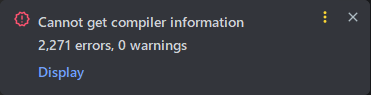
I wrote Patch.java, a small patcher that turns that compile_commands.json into a shape CLion can read more comfortably, so this article introduces it.
Usage#
After make compile-commands finishes, place Patch.java in the directory where compile_commands.json was generated, and run:
$ java Patch.java compile_commands.json
The existing compile_commands.json will be overwritten.
The original file is backed up as compile_commands.json.old, so you can come back from a reasonable amount of trouble.
If you want to write the patched file somewhere else, pass the output path as the second argument.
$ java Patch.java compile_commands.json compile_commands.clion.json
In that case, the input file is left untouched, and the patched file is written to the specified output path.
What Goes Wrong#
compile_commands.json tells IDEs and language servers which compiler options are used for each source file.
Since OpenJDK can generate it, CLion should, in theory, just read it and be happy.
In practice, OpenJDK builds on Windows can contain command lines that CLion does not handle well.
Examples include Visual Studio paths with spaces, -pathmap:, precompiled-header options, and joined include-path options such as /I....
Those options may be meaningful to the actual compiler, but when they are fed to CLion's Compilation Database support, things get stuck. As a result, headers that really exist may not be resolved, and CLion may fail to recognize the compiler correctly.
What the Patch Does#
Patch.java reads each entry in the compile_commands.json generated by OpenJDK and rewrites it into a CLion-friendlier form.
Broadly speaking, it does the following:
- Converts the
commandstring into anargumentsarray. - Canonicalizes the
filepath. - Removes
-pathmap:arguments that CLion does not handle well. - Removes precompiled-header-related arguments.
- Splits
/Ipathand-Ipathinto/I,path. - Normalizes extra backslashes in Windows absolute paths.
- Converts compiler paths containing spaces to short 8.3 paths when possible.
In short, this turns a build-oriented compile_commands.json into a CLion-oriented compile_commands.json.
It is not a patch for fixing the build itself; it is a bit of fiddling for the IDE.
Output#
When the patcher runs, it prints how much it changed.
Converted entries: 1234
Removed -pathmap args: 1234
Removed PCH args: 2468
Split include args: 9876
Normalized path args: 5432
Shortened compiler paths: 1234
Wrote: C:\path\to\jdk\build\windows-x86_64-server-release\compile_commands.json
The numbers vary depending on your environment and build configuration.
If Converted entries is 0, you may have passed the wrong file, or the file format may be different from what this patcher expects.
Notes#
This patcher targets the JSON generated by OpenJDK's make compile-commands.
It is not a general-purpose fixer for every compile_commands.json.
Also, if you regenerate compile_commands.json, you need to apply the patch again.
If you run make clean and later find the project red again, this is probably why.
You may still see an error like this in CLion:
Cannot determine compiler type by executable file: 'C:\Program Files\Microsoft Visual Studio\2022\Community\VC\Tools\MSVC\14.44.35207\bin\Hostx64\x64\ml64.exe'
That one is about ml64.exe, so it is usually fine to ignore it for reading C/C++ code.
Open src/java.base/share/native/launcher/main.c or src/hotspot/share/prims/jni.cpp; if the include area is not red, that is mostly a win.
References#
- Anastasia Kazakova, "Tips & Tricks: Develop OpenJDK in CLion with Pleasure", JetBrains Blog, 2020/03/10, https://blog.jetbrains.com/clion/2020/03/openjdk-with-clion/